


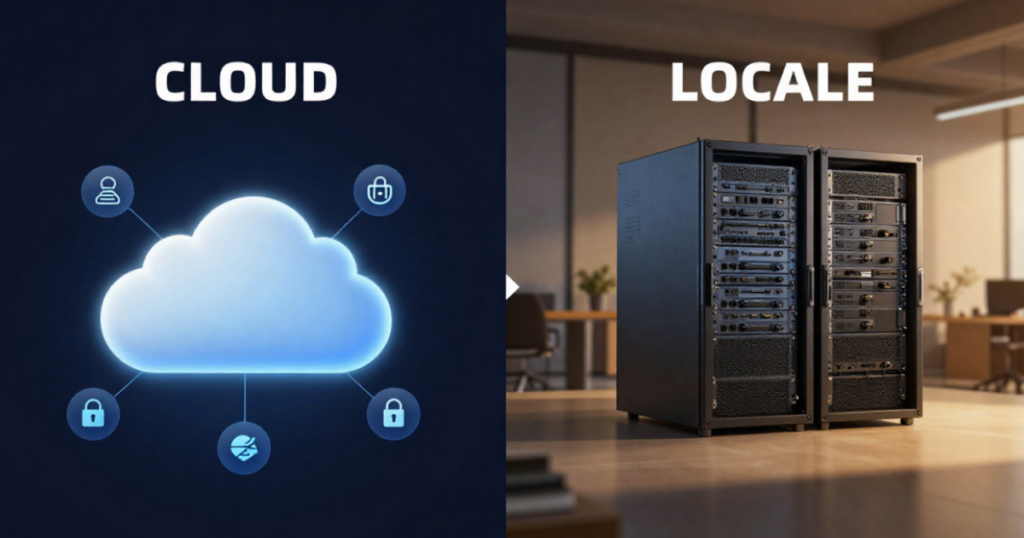
Cloud vs. Local Server: A Guide for Brescia SMEs (2026)
It is one of the most impactful decisions an SME can make regarding its IT, and there is no one-size-fits-all answer: the cloud suits those seeking flexibility, anywhere access, and zero hardware management, while on-premise servers remain a valid choice for those requiring control, facing limited connectivity, or dealing with specific production constraints. For many companies in the Brescia area, the best solution is a hybrid approach. Let’s look at how to navigate this choice by focusing on your specific processes rather than following trends.
How the cloud works for businesses
With the cloud, your data and applications no longer reside on a physical server at your company, but in professional data centers that you access via the Internet. In short:
- No hardware to buy or maintain on-site: no servers to cool, update, or replace.
- Access from anywhere—useful for remote work and for organizations with multiple locations or field agents.
- Fee-based payment based on resources actually used.
- Updates and basic security managed by the data center provider.
Public, private, and hybrid cloud
Not all clouds are the same, and the word alone tells us little:
- Public cloud (Microsoft 365, Azure, AWS, Google): shared resources in large data centers, maximum scalability, and pay-as-you-go pricing. It is the most widely used option for email, files, and standard applications.
- Private cloud: infrastructure dedicated solely to you, offering greater control at a higher cost. Suitable for those with strict confidentiality requirements or regulatory constraints.
- Hybrid cloud: a mix of cloud and on-premises resources. It is the most popular solution among SMEs seeking the best of both worlds: sensitive data or production systems remain on-site, while the rest moves to the cloud.
Cloud vs. local server: cost comparison
The most important difference is not just “how much,” but “what kind” of expenditure:
- On-premise server: high initial investment (CapEx). Roughly €4,000–€12,000 for a server including setup and licenses, plus costs for maintenance, electricity, an uninterruptible power supply (UPS), and replacement every 5–7 years. You bear the cost, but you also handle the management.
- Cloud: recurring expense (OpEx). No upfront investment, but a monthly fee that increases with usage. Easier to budget for and scale, but potentially more expensive in the long run if resources are not optimized.
To this, one must add the hidden costs: with a local server, these include energy, air conditioning, maintenance, and management time; with the cloud, there is the issue of reliance on an internet connection. Connectivity in the city of Brescia is generally excellent, but in certain industrial areas or valleys (Val Trompia, Val Camonica), it needs to be assessed on a case-by-case basis before moving everything online.
When to migrate to the cloud
The cloud is particularly suitable if:
- You have employees working remotely or multiple locations to connect.
- You want to eliminate hardware management and the associated unforeseen issues.
- You need to scale up (growth) or down (seasonality) quickly.
- You are looking for backup and disaster recovery solutions that are already integrated and geographically distributed.
However, a local server remains a valid option if you have limited or unstable connectivity, software requiring local resources, or production machinery that needs to communicate with an on-site system with ultra-low latency—a common scenario for manufacturing companies in the Brescia area. Regarding security, take note: both options require protection, as the cloud is not “automatically secure.” Find out more in the article on cybersecurity for SMEs.
How to plan the migration
A well-executed migration is gradual and low-risk—never an “all-at-once” approach:
- Analysis: mapping applications, data, and dependencies. What can move to the cloud, and what cannot?
- Model selection: public, private, or hybrid, based on needs and budget.
- Phased migration: start with the least critical services (e.g., email), then move on to shared files, and finally to management systems.
- Testing and training: verify that everything works and train users before decommissioning the old system.
- Optimization: after a few months, review your cloud resources to avoid paying for what you don’t use.
For details on expenses, see the article “Corporate Cloud Migration: The Real Costs.” Entrusting the project to an external partner is often advantageous as it avoids costly errors; we discuss this in “IT Outsourcing vs. In-House Technician.”
Cloud vs. On-Premises: A Security Comparison
Security is often the deciding factor when choosing between the cloud and a local server, and there are many common misconceptions surrounding this. Let’s look at the actual comparison.
- Physical protection: a cloud data center offers power redundancy, access control, and fire protection that no on-site server cabinet can match. An on-premises server, by contrast, is exposed to risks such as flooding, theft, and power surges within the facility.
- Updates and patches: in the cloud, infrastructure security updates are managed by the provider. On-premises, they depend on the diligence of the server administrator—a common weak point for SMEs lacking a structured IT setup.
- Data control: a local server keeps everything physically on-site, which is an advantage for certain sensitive data or contractual obligations. The cloud requires trust in the provider, but reputable vendors offer documented guarantees and compliance.
- Disaster continuity: if a fire strikes the premises, a local server with no off-site backup means losing everything. The cloud, by its very nature, stores data elsewhere.
In short: the cloud starts with an advantage in terms of resilience, while on-premises solutions offer the edge in direct control. The right choice depends on the extent to which your company can handle security maintenance in-house.
Frequently asked questions
Is the cloud increasingly more secure than on-premises? Not in absolute terms, but on average, yes—for an SME without dedicated IT staff—because it shifts burdens to the provider that would otherwise go unaddressed.
Can I keep some data locally and other data in the cloud? Yes, and it is a very common choice. The hybrid approach allows you to keep the most sensitive data on-premises and move data requiring access from multiple locations to the cloud.
What happens to my data if I switch cloud providers? Reputable providers include data export capabilities. This is a point to verify in the contract before signing, just as with outsourcing.
Conclusion
The choice between cloud and local servers is not a matter of religious dogma; it is a decision based on practical needs. For the majority of Brescia-based SMEs, the winning answer is “it depends on the processes”—and the solution is very often hybrid: the best of the cloud for flexibility and mobility, and the best of local infrastructure for operations that need to remain close to production.
Do you want to understand what is truly best for your company? We will analyze your infrastructure and processes together and propose the solution that strikes the best balance between cost, security, and operational efficiency.