


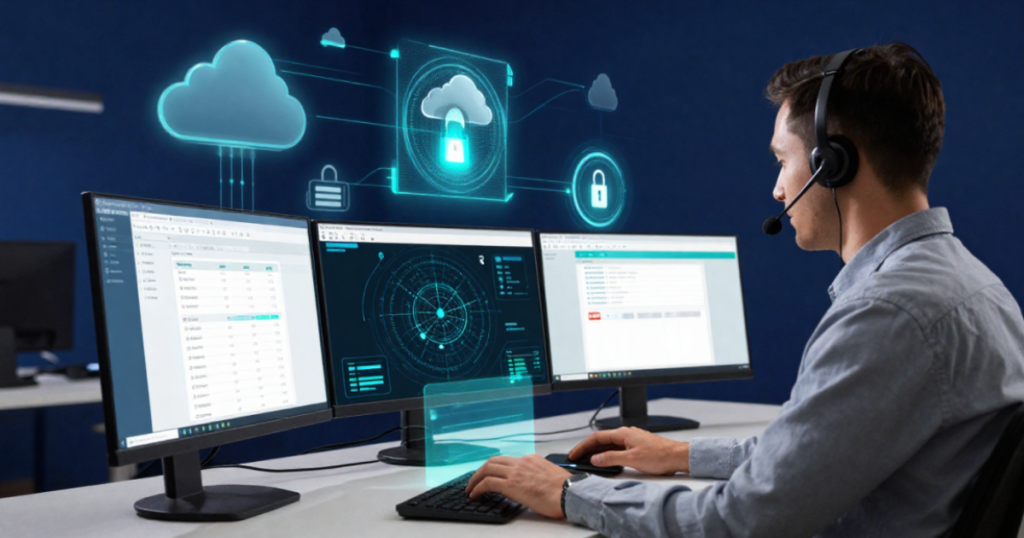
A question many ask is: can IT issues be resolved without a technician visiting the company? The answer is yes—and to a surprising extent. Remote IT support allows the vast majority of everyday problems—such as software issues, configuration errors, email troubles, and system slowdowns—to be fixed remotely, often in just a few minutes, with no waiting around or travel time involved. For an SME in the Brescia area—especially one located outside the city or in a valley—this means getting back up and running immediately, rather than waiting hours for a technician to arrive. Let’s take a closer look at how it actually works.
How remote support works technically
The principle is simple: using secure software, the technician connects to your computer or server—with your permission—and works as if they were sitting right in front of the screen. Specifically:
- Start a session by sharing a temporary code, or initiate the connection via an agent already installed and authorized on the workstation.
- The technician sees the screen and can intervene in real time by moving the mouse and typing.
- You can follow every operation on the screen and disconnect whenever you want.
- Upon completion, the connection closes and access does not remain open.
Everything takes place over encrypted channels with activity tracking, so you always know who did what and when.
Problems that can be resolved remotely (and those that cannot)
To manage expectations effectively, here is the practical distinction.
They are resolved remotely:
- Email configuration, management software, and network printers.
- Malware removal and slowdown analysis.
- Updates, program installations, and security patches.
- Management of users, passwords, permissions, and backups.
- Diagnosis of numerous network and server problems.
Serve l’intervento on-site:
- Physical hardware failures (power supplies, drives, cards, fans).
- Cabling, switches, and access points to be replaced or reconnected.
- Physical installation of new servers, workstations, or peripherals.
In practice, remote support covers the majority of an office’s daily needs, while on-site support remains for tasks requiring physical handling.
Why it is convenient for an SME
The benefits of remote support, in concrete terms for your company:
- Speed: the issue is reported and often resolved immediately, without delays.
- Savings: no travel expenses to bill, especially for those based far from the city.
- Continuity: a blocked employee is back up and running in minutes, not hours.
- Comprehensive history: every intervention is recorded, which is useful for identifying recurring issues.
Tools most commonly used by IT providers
Professional remote support software offers much more than just “I can see your screen”:
- Unattended access to service authorized servers and workstations—even outside business hours—without requiring anyone to be present at the PC.
- Integrated monitoring to detect problems before the user notices them.
- Bulk management to apply updates and patches to all workstations simultaneously.
These tools are the heart of a managed service; we explore the difference between ad-hoc intervention and continuous management in the article “Helpdesk vs. Managed Service Provider.”
Remote control security
A perfectly legitimate concern: is it safe to let someone access my computer remotely? With a reputable provider, yes—provided the following conditions are met:
- Encrypted and authenticated connections; never “open,” unprotected access.
- Explicit user authorization for assisted sessions.
- Tracking of who accesses the system, when, and what they do, with a searchable history.
- Two-factor authentication for technicians connecting to the system.
Remote support security is part of the broader protection strategy outlined in our guide on cybersecurity for SMEs: while misconfigured remote access can open the door to attacks, a well-managed setup is just as secure as an on-site visit.
How does it integrate with the on-site intervention?
Remote support resolves most software issues, but not everything can be handled remotely. Understanding where remote support ends and on-site intervention begins helps set the right expectations.
- Issues resolved remotely include configurations, software installation and updates, malware removal, email or printing problems, and backup restoration. It is estimated that 70–80% of requests from an SME are resolved without an on-site visit.
- What requires physical presence: hardware failures (a drive needing replacement, a burnt-out power supply), network cabling, installation of new equipment, and configuration of production machinery that cannot be accessed via the network.
- The ideal model: remote support as a rapid, immediate first line of defense, combined with scheduled on-site intervention for tasks that truly require hands-on work. For companies in the province of Brescia, a partner’s proximity matters: a technician traveling from the city of Brescia to Val Camonica or the Bassa area within a reasonable timeframe makes all the difference when machinery is down.
This combination reduces downtime and travel costs, without sacrificing the ability to intervene in person when essential.
Frequently asked questions
Can the technician access my PC without me noticing? No, with professional-grade tools, access requires your explicit authorization for each session, and you can see everything being done on the screen.
And what if the internet connection drops? That is the limitation of remote locations: without a network, they are inaccessible. For this reason, critical operations include backup connectivity—such as a data SIM—specifically to avoid being cut off.
Does remote support also apply to branch offices? Yes, and that is one of its major advantages: managing multiple locations across the Brescia area from a single point, without the need for frequent travel between sites.
How fast is a remote intervention compared to an on-site one? Much faster: the technician connects within minutes, with no travel time involved. For a company in Val Trompia or Franciacorta, this means that a software issue is often resolved during a single phone call, rather than having to wait half a day for a technician to arrive.
Conclusion
Remote IT support is currently the fastest and most cost-effective way to keep a business running: no waiting, no travel, and problems resolved in real time. On-site support remains valuable, but only for tasks that are truly physical and cannot be performed remotely.
Do you want support that resolves issues in minutes, not hours? We implement secure, tracked remote support for your company, featuring contractually guaranteed response times and no unnecessary travel costs.